Short answer
To convert BPM to milliseconds, divide 60,000 by the tempo. That gives you the length of one quarter note in milliseconds. At 120 BPM a quarter note lasts 500 ms, an eighth note 250 ms, a sixteenth note 125 ms and a dotted eighth note 375 ms. If you do not know the tempo yet, find it first with the Tap BPM tool on the homepage, then use the formula below or the BPM to Milliseconds Calculator.
The formula
A delay plugin asks for milliseconds and music asks for note values. The formula is the bridge between the two, and it is a unit conversion rather than a musical rule. There are 60 seconds in a minute and 1,000 milliseconds in a second, so one minute holds exactly 60,000 milliseconds. Tempo counts quarter notes per minute, so one quarter note lasts 60,000 divided by the BPM.
Quarter note (ms) = 60,000 / BPM
At 90 BPM one quarter note is 666.7 ms. At 128 BPM it is 468.8 ms. At 174 BPM it is 344.8 ms. Every other note value follows from that one number, so you only ever need to do one division.
Note value multipliers
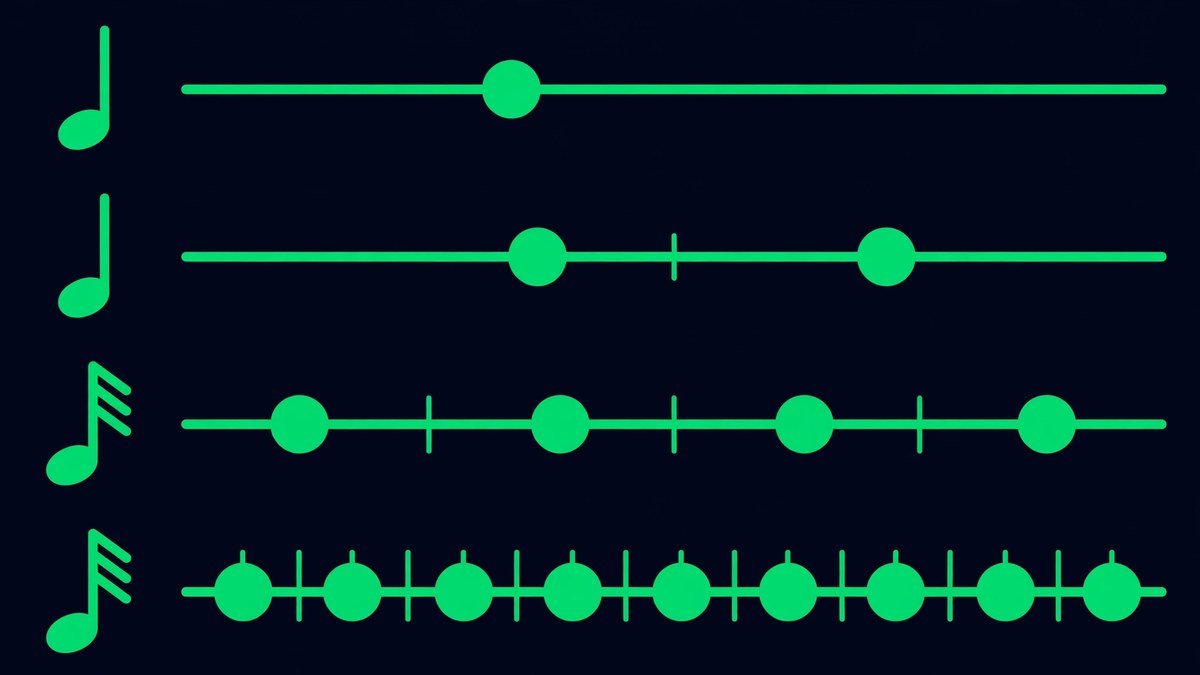
Once you have the quarter note, multiply it to get any other value. A dot adds half the note’s own length, so a dotted note is 1.5 times the straight value. A triplet squeezes three notes into the space of two, so each one is two thirds of the straight value.
| Note value | Multiplier | At 120 BPM |
|---|---|---|
| Whole note | x4 | 2000 ms |
| Half note | x2 | 1000 ms |
| Quarter note | x1 | 500 ms |
| Eighth note | x0.5 | 250 ms |
| Sixteenth note | x0.25 | 125 ms |
| Thirty-second note | x0.125 | 62.5 ms |
| Sixty-fourth note | x0.0625 | 31.3 ms |
| Dotted eighth note | x0.75 | 375 ms |
| Eighth-note triplet | x0.333 | 166.7 ms |
Worked example: a 140 BPM track
Say the track is 140 BPM in 4/4. The quarter note is 60,000 / 140 = 428.6 ms, and everything below follows from it.
Vocal throw: a dotted eighth delay. 428.6 x 0.75 = 321.4 ms, so set the delay to 321 ms. The repeats land between the beats instead of doubling the vocal.
Guitar: a quarter note delay, 428.6 ms, rounded to 429 ms. One repeat per beat.
Snare reverb pre-delay: a thirty-second note, 428.6 x 0.125 = 53.6 ms. That small gap keeps the crack of the snare clear of the reverb tail.
Reverb tail: one bar, 428.6 x 4 = 1714.3 ms, so set the decay to about 1.7 seconds and the tail clears before the next downbeat.
Check it: a dotted eighth is three sixteenths, and 3 x 107.1 ms is 321.4 ms. Both routes agree.
BPM to milliseconds chart
Find your tempo in the first column and read across. Values are milliseconds, rounded to one decimal place. Multiply any value by 1.5 for its dotted version.
| BPM | Quarter | Eighth | Dotted eighth | Sixteenth | Eighth triplet | 1 bar (4/4) |
|---|---|---|---|---|---|---|
| 70 | 857.1 | 428.6 | 642.9 | 214.3 | 285.7 | 3428.6 |
| 80 | 750 | 375 | 562.5 | 187.5 | 250 | 3000 |
| 90 | 666.7 | 333.3 | 500 | 166.7 | 222.2 | 2666.7 |
| 100 | 600 | 300 | 450 | 150 | 200 | 2400 |
| 110 | 545.5 | 272.7 | 409.1 | 136.4 | 181.8 | 2181.8 |
| 120 | 500 | 250 | 375 | 125 | 166.7 | 2000 |
| 125 | 480 | 240 | 360 | 120 | 160 | 1920 |
| 128 | 468.8 | 234.4 | 351.6 | 117.2 | 156.3 | 1875 |
| 130 | 461.5 | 230.8 | 346.2 | 115.4 | 153.8 | 1846.2 |
| 140 | 428.6 | 214.3 | 321.4 | 107.1 | 142.9 | 1714.3 |
| 150 | 400 | 200 | 300 | 100 | 133.3 | 1600 |
| 160 | 375 | 187.5 | 281.3 | 93.8 | 125 | 1500 |
| 170 | 352.9 | 176.5 | 264.7 | 88.2 | 117.6 | 1411.8 |
| 174 | 344.8 | 172.4 | 258.6 | 86.2 | 114.9 | 1379.3 |
| 180 | 333.3 | 166.7 | 250 | 83.3 | 111.1 | 1333.3 |
How to set a tempo-synced delay in 5 steps
- Find the tempo. Tap along with the track on the Tap BPM tool until the reading settles, or read the BPM from your DAW. Tap at least 8 beats.
- Pick the note value. A dotted eighth is the classic starting point for vocals and guitar. A quarter note suits sparse parts.
- Calculate it. Divide 60,000 by the BPM, then multiply by the note value from the table above.
- Set the delay. If your plugin has tempo sync, choose the note value. If it only takes milliseconds, type in the number from step 3.
- Set the reverb to match, with a short pre-delay and a decay of about one bar, then adjust by ear.
Setting reverb pre-delay and decay
Pre-delay is the gap between the dry sound and the start of the reverb tail. A short pre-delay of 10 to 30 ms keeps the reverb fused with the source and reads as room size. A thirty-second note gives 62.5 ms at 120 BPM, a useful starting point for vocals, and a sixty-fourth note gives 31.3 ms. Above roughly 100 ms the gap is heard as an effect rather than a room, so keep pre-delay short unless you want a slap.
For the tail, start with one bar: 2 seconds at 120 BPM, 1.71 seconds at 140 BPM. Dense arrangements need shorter tails.
Converting milliseconds to Hz
Some tools set modulation in hertz instead of milliseconds, such as an LFO, a tremolo or an auto-pan. The conversion is 1,000 divided by the note length in milliseconds, and the beat rate itself is BPM divided by 60.
At 120 BPM a quarter note is 2 Hz, an eighth note 4 Hz and a sixteenth note 8 Hz. A dotted eighth is 375 ms, which is 2.67 Hz. Use those numbers when a tremolo or filter LFO needs to move with the track.
Working backwards: milliseconds to BPM
To find the tempo from a delay time, turn the formula around. For a quarter note: BPM = 60,000 / ms. A 400 ms quarter note means 150 BPM.
If the time you have is a different note value, convert it to a quarter note first. A dotted eighth of 375 ms is a straight eighth of 250 ms (375 / 1.5), which is a quarter note of 500 ms, so the tempo is 120 BPM. The common trap is dividing 60,000 by 250 directly and getting 240 BPM. That is wrong, because 250 ms is an eighth note, not a quarter.
Watch out for 6/8 and other time signatures
BPM always counts quarter notes per minute, whatever the time signature says. In 6/8 at 120 BPM a bar holds three quarter notes, so it lasts 1.5 seconds, not 3 seconds. The same applies in 3/4. Getting this wrong doubles every reverb tail. If your DAW shows the tempo in dotted quarter notes in 6/8, multiply it by 1.5 to get standard quarter-note BPM first.
Common mistakes
- Using the tempo of the wrong section. A track that drifts between verse and chorus needs the tempo of the section you are mixing.
- Mixing up dotted and triplet values. At 120 BPM a dotted eighth is 375 ms and an eighth-note triplet is 166.7 ms. They are not interchangeable.
- Typing milliseconds into a tempo-synced plugin. It ignores the number and follows the host tempo, so set the note value instead.
- Trusting one tap. Tap 8 beats or more.
- Rounding without thinking. A 0.4 ms error is nothing after four repeats and audible as drift after forty, so round to whole milliseconds and check long feedback tails by ear.
- Setting pre-delay too long. Above 100 ms the gap sounds like a slap, not a room.
Frequently asked questions
How many milliseconds is 1 BPM?
One beat at 1 BPM lasts 60,000 ms, a full minute. No song runs at 1 BPM. At 60 BPM one beat is 1,000 ms.
What is 100 BPM in milliseconds?
A quarter note is 600 ms, an eighth note 300 ms, a sixteenth note 150 ms, a dotted eighth note 450 ms and one bar in 4/4 is 2,400 ms.
How long is 70 BPM in milliseconds?
A quarter note is 857.1 ms, an eighth note 428.6 ms, a dotted eighth note 642.9 ms, a sixteenth note 214.3 ms and one bar is 3,428.6 ms.
What is 120 BPM in milliseconds?
A quarter note is 500 ms, an eighth note 250 ms, a sixteenth note 125 ms, a dotted eighth note 375 ms and one bar in 4/4 is 2,000 ms.